


Salesforce has become a powerful business enabler across industries, from startups to Fortune 500s. With its vast ecosystem and continuous innovation, ensuring seamless performance and reliability across every Salesforce update is non-negotiable.
Traditional testing methods often fall behind, especially in today’s fast-paced Agile and DevOps-driven world. This comprehensive article explores how low-code test automation redefines Salesforce QA, enabling teams to move faster, reduce costs, and improve confidence in every release.

Why Salesforce Testing Needs a Modern Approach
The State of Salesforce Testing report from Copado reveals that 84% of Salesforce teams continue to employ manual testing methods in conjunction with other testing approaches. This combination creates delays in release schedules and inconsistent results. Modern DevOps environments require automated testing because manual testing practices have reached their scalability limits.
The need for low-code test automation emerges as businesses pursue faster digital delivery to minimize risks while adapting to platform changes. Salesforce’s evolution into a platform extending beyond CRM requires organizations to develop new QA strategies that match its speed of development.
The combination of fast deployment cycles, complex interfaces, and enterprise-level connections makes using outdated testing approaches dangerous. The following section demonstrates why Salesforce testing in 2025 demands a new approach that uses low-code automation tools to achieve agility and precision.
Challenges of Traditional Salesforce QA in 2025
The platform has evolved from its CRM origins to become an essential operational engine supporting sales and service operations for worldwide enterprises. The combination of fast release cycles, deep integrations, and complex UI elements in Salesforce Lightning makes traditional Salesforce QA methods insufficient. Here’s what makes it challenging:
-
- Highly dynamic UI: The UI of Salesforce Lightning operates dynamically through Shadow DOM and dynamic components, which disrupt traditional locator methods.
- Frequent updates: The three major Salesforce releases each year force testers to maintain their tests continuously.
- Complex integrations: Salesforce requires extensive end-to-end testing because it integrates with ERPs and third-party APIs.
- Manual bottlenecks: Traditional testing methods create manual bottlenecks because they require hand-coded scripts and produce brittle flows.
Why Low-Code Test Automation Is Gaining Momentum
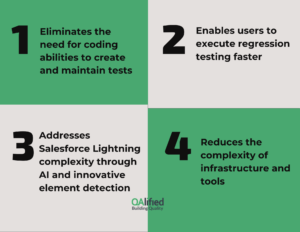
Low-code test automation allows Salesforce QA teams to speed up their testing cycles while making better decisions. As coding skills are not required, testers can automate regression and UI tests in days instead of weeks. These tools provide advantages that surpass speed because they enhance team collaboration and reduce ongoing maintenance expenses.
- Eliminates the need for coding abilities to create and maintain tests.
- Enables users to execute regression testing faster through visually reusable workflows.
- Addresses Salesforce Lightning complexity through AI and innovative element detection capabilities.
- Reduces the complexity of infrastructure and tools for Salesforce QA teams.
Core Benefits of Low-Code Test Automation for Salesforce QA
According to Provar’s ROI study, organizations that embed test automation into their Salesforce workflows report up to a 70% reduction in manual testing time, 60% fewer production bugs, and 38% faster time-to-market. These outcomes highlight how low-code platforms directly support business agility, efficiency, and confidence in frequent releases.
Salesforce testing can’t just be thorough; it needs to be fast, scalable, and tester-friendly. Low-code automation brings strategic advantages to QA teams, enabling them to handle complexity without code. This section highlights how Salesforce QA teams can benefit from visual tools, AI assistance, and cross-platform flexibility.
Adopting Low-Code Automation Tools for Salesforce Testing empowers QA teams to scale testing across roles, releases, and regions.
Accelerated Test Cycles with Visual Test Builders
Visual test builders help QA teams automate Salesforce tests rapidly. The testers use drag-and-drop interfaces instead of coding scripts to improve speed and accessibility. Here’s how it accelerates testing:
- Build end-to-end Salesforce test cases without writing code
- Use drag-and-drop flows to automate login, form fill, record creation, and more
- Ideal for Lightning UI with dynamic components and real-time data updates
Reduced Maintenance with AI & Smart Locators
Smart locators and AI-driven element detection reduce the pain of Salesforce updates. These tools automatically adjust tests when the UI changes, allowing teams to focus on coverage rather than constant fixes.
- Smart locators automatically adjust to DOM/UI changes after each release
- AI-driven tools support self-healing for broken tests
- Reusable modules accelerate regression test suite creation
Improved Test Coverage Across Browsers and Devices
Salesforce tests must work across browsers and devices to ensure consistent user experience. Low-code platforms simplify parallel testing and reduce duplicated efforts in UI validation.
- Run tests on multiple browsers and OS combinations using Browser Stack or LambdaTest
- Test UI behavior across devices for Salesforce Mobile and Lightning Experience
- Validate cross-browser compatibility without duplicating test scripts.
Empowering Non-Technical Users to Test Salesforce
With low-code automation, QA is no longer limited to developers or SDETs. Business analysts and product owners can build, run, and manage test cases—bridging the gap between domain knowledge and technical execution.
- QA analysts, business users, and product owners can design, execute, and maintain tests
- Shared visual flows improve collaboration across IT and business teams
- Reduce dependency on scarce automation engineering resources
Key Criteria to Choose Low-Code Automation Tools for Salesforce Testing
The selection of appropriate low-code tools determines how well Salesforce QA achieves test coverage, performance, and scalability. The numerous platforms available require organizations to identify Salesforce-specific technical and business requirements. Each low-code platform maintains its distinct characteristics. The following section explains the essential characteristics to look for in a tool.
Must-Have Features for Salesforce Test Automation
The architecture of Salesforce requires specific features that not all testing tools possess. The platform requires three essential features for reliable test automation: support for dynamic UIs, data testing, and seamless API integration. Here’s what to prioritize:
- Support for Shadow DOM and Lightning Web Components (LWC).
- Test recorder with visual capabilities to detect dynamic selectors accurately.
- Test data parameterization and synthetic test data generation support.
- Built-in API testing capabilities to verify REST/SOAP service integrations.
CI/CD & DevOps Integration Capabilities
Your low-code solution should be integrated smoothly with your DevOps toolchain. CI/CD-ready tools enable you to incorporate Salesforce QA into your deployment process for quality assurance throughout every release stage.
- Integration with Jenkins, Azure DevOps, GitHub Actions, and others
- Real-time test reporting through dashboards combined with alerting features.
- Ability to execute tests automatically when pipelines trigger them while validating build results.
Enterprise-Grade Compliance and Scalability
Businesses operating in regulated sectors require testing platforms that fulfill stringent compliance requirements. The long-term success of test automation depends on the ability to scale across multiple Salesforce orgs.
- SOC2 and ISO 27001-certified environments for industries under regulatory requirements.
- Supports testing across multiple Salesforce orgs while maintaining sandbox isolation.
- Role-based access control features to manage enterprise QA team permissions.
Salesforce QA Strategy: What to Automate (and What Not to)
Automating all test scenarios remains impractical and unnecessary. The focus should be on critical business workflows, common processes, and those that experience frequent changes. This section explains which Salesforce elements should be automated and which should remain manual.
The selection of appropriate tests for automation is equally important to the selection of suitable tools. The following guide shows how to maximize Salesforce QA efficiency.
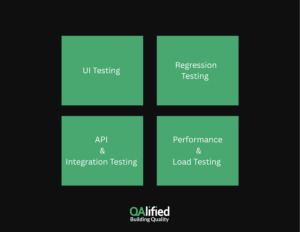
UI Testing for Salesforce Lightning
The front end of Salesforce Lightning operates with high dynamism. The UI testing process verifies that components, along with their interactions and layouts, properly display and operate correctly across different devices and user roles.
- The automation of standard user flows, including Opportunity creation, Case logging, and Quote generation.
- Testing of custom Visualforce pages together with Lightning components should validate their behavior.
- Verify that the application maintains accessibility and responsiveness throughout different viewports.
Regression Testing for Major Salesforce Releases
Maintaining Salesforce changes becomes essential because the platform receives three major updates every year. Following each release update, the automated regression testing process verifies essential business operations.
- The automated test suites should be established for Winter, Spring, and Summer releases.
- Re-run tests against sandbox environments after the upgrade process.
- Prioritize business-critical flows for regression testing to avoid post-deployment failures.
API and Integration Testing with External Systems
Salesforce operates independently from other systems. The testing process ensures Salesforce exchanges data correctly with external platforms to maintain system reliability and smooth integration.
- Verify REST/SOAP calls, which both enter and exit Salesforce.
- Verify that ERP or middleware systems receive correct field mappings and data synchronization.
- Verification of error handling mechanisms and failed integration scenarios.
Performance and Load Testing Considerations
Salesforce performance suffers when usage increases or data amounts expand. The testing process for speed and stability ensures your CRM system can operate at peak conditions.
- Measure the time for Lightning components to load.
- Validate how dashboards and reports behave when under heavy usage.
- Monitor platform stability through concurrent logins and mass data upload simulations.
Tools That Enable Low-Code Salesforce Test Automation
The following low-code platforms enable Salesforce testing through their distinct capabilities. The section demonstrates popular tools that help automate Salesforce QA operations without requiring programming skills. The following section presents four prominent tools that enterprises use for Salesforce Test Automation:
Opkey for No-Code Salesforce Automation
- Provides pre-built accelerators for testing Salesforce Lightning and Classic and third-party integrations.
- Enables complete Salesforce QA testing through its AI-powered test discovery and impact analysis features.
- Connects to CI/CD pipelines and provides enterprise-level test governance capabilities.
Provar for End-to-End Salesforce QA
- The platform explicitly automates Salesforce testing through its built-in support for Lightning and Classic interfaces.
- Provides users with low-code UI functionality alongside full-code flexibility when needed.
- Excels at compliance testing, regression testing, and Salesforce API testing.
Tosca by Tricentis
- Uses model-based approaches with Salesforce modules specifically designed for the platform.
- Enables users to create tests for UI and API interfaces through reusable business components.
- Works well for organizations with extensive QA workflows that need complex testing solutions.
Copado Robotic Testing
- It exists within the Copado DevOps ecosystem, which focuses on Salesforce development.
- Enables test automation that spans from user stories to deployment.
- Allows continuous testing to run within Salesforce release pipelines.
Common Pitfalls in Salesforce Low-Code Testing (And How to Avoid Them)
The best tools cannot prevent mistakes. Testing strategies fail because of incorrect data management and unattended maintenance procedures. The following section identifies common pitfalls in low-code Salesforce automation and their prevention methods.
Shadow DOM Breaks Locators in Lightning UI
- Utilize tools that specifically support Salesforce Shadow DOM architecture.
- Using AI-based element locators should replace brittle XPath.
Hardcoded Test Data Causes Failures
- The use of parameterized data or synthetic data generation tools
- Avoid the practice of using record IDs in multiple orgs or sandboxes
Ignoring Test Maintenance After Salesforce Updates
- Use Automated impact analysis capabilities to identify test cases needing modification.
- Execute smoke and regression packs in preview sandboxes before moving to production.
FAQ – Everything CXOs and QA Leaders Need to Know About Salesforce Testing
Salesforce QA can be complex, especially with multiple testing types, environments, and automation strategies. This section answers common questions from business and technical leaders who want to better understand Salesforce Testing and Low-Code Automation Tools.
1. What is Salesforce testing?
The Salesforce application testing process includes verifying functional operations and performance capabilities, security measures, and regulatory compliance for Sales Cloud, Service Cloud, and Lightning Experience platforms.
2. How to QA test Salesforce?
The Salesforce QA process requires automated testing of UI elements and integration functions, and performance assessments through tools that support the Salesforce architecture, its frequent releases, and its dynamic elements.
3. How do I become a Salesforce tester?
The path to becoming a Salesforce tester requires basic Salesforce knowledge, as well as learning low-code automation platforms and understanding business workflows. The Salesforce Administrator certification and QA-focused courses provide valuable preparation.
4. Does Salesforce testing require coding?
Not necessarily. Implementing low-code automation tools enables business users and manual testers to automate tests through interfaces that do not require programming knowledge.
5. Which automation tool is used for Salesforce testing?
Opkey, Provar, Tosca, and Copado are the most widely used Salesforce testing tools. Your choice of tool depends on your current QA maturity level, the scope of your tests, and your integration requirements.
6. What is low-code automation skills?
Users can create automated tests through visual workflows, drag-and-drop tools, and AI-powered platforms without programming expertise.
7. How many types of testing are there in Salesforce?
The main testing categories for Salesforce include UI testing, regression testing, API testing, security testing, and performance testing.
8. What is a Salesforce test?
A Salesforce test represents a test case or test suite that checks the functionality of specific Salesforce features, such as lead creation, opportunity updates, and API data synchronization.
9. Does Salesforce have a test environment?
Yes. The Salesforce platform provides different testing environments, including Developer Sandbox, Partial Copy, Full Sandbox, and Scratch Orgs.
10. Is Salesforce testing manual or automation?
It can be both. The testing process starts with manual QA before moving to low-code test automation to achieve faster and more reliable results.
11. How do I test Salesforce updates?
The preview sandbox environment allows users to test existing tests before the official release of updates. The maintenance of regression packs combined with low-code tools enables fast updates.
Conclusion – Is Your Salesforce QA Strategy Future-Ready?
Salesforce Testing is a vital component that enables dependable releases, smooth user experiences, and ongoing business innovation. Low-code test Automation allows QA teams to accelerate their work while minimizing risks and delivering smoother Salesforce deployments. The correct tools enable non-developers to participate in building reliable test suites.
Our team at QAlified combines deep Salesforce expertise with practical test automation experience and robust low-code tools to validate your CRM workflows, from lead capture through post-sale service. Our team helps organizations reduce release risks while maintaining continuous Salesforce quality assurance and develops the necessary confidence for smooth CRM operation scaling.
Our team will create a Salesforce Testing strategy that drives business expansion and accommodates organizational transformations.
SHARE:

