


A page can look correct in Chrome while a menu fails in Safari. This guide compares ten options and shares how we approach compatibility testing in practice.
We cover cloud platforms such as BrowserStack, TestMu AI, and Sauce Labs, and automation frameworks such as Playwright, Selenium, and Cypress, so you can choose the right combination for your users, critical workflows, and budget.
TL;DR
- Choose browser and device combinations based on your audience and application risks.
- Combine an automation framework with a device cloud when physical mobile coverage matters.
- At QAlified, we frequently use BrowserStack with Playwright or Selenium, and Katalon for Katalon-based automation.
Best Cross-Browser Testing Tools for Web and Mobile QA
The best cross-browser testing tools combine browser coverage, reliable execution, useful debugging evidence, and integration with your development workflow. BrowserStack, TestMu AI, and Sauce Labs provide hosted environments; Playwright, Selenium, and Cypress automate checks. The right combination depends on your users, critical workflows, budget, and need for real mobile devices.
What Are Cross-Browser Testing Tools and Why Are They Important?
Cross-browser testing tools help teams check whether websites function correctly across browsers, operating systems, and devices. Device clouds provide testing environments; automation frameworks execute repeatable checks. Mobile web testing evaluates websites in mobile browsers; native app testing requires additional capabilities.
In our projects, frequent incompatibilities include misaligned components, broken animations, hidden elements, and buttons or menus that fail on click or tap. Legacy applications can be particularly vulnerable when older technologies meet newer browsers. We aim for usable, reliable experiences across supported environments; every browser does not need to render every detail identically.
What Should You Look for in a Cross-Browser Testing Tool?
Choose tools for cross-browser testing around your test matrix and delivery process. In our experience, coverage alone is insufficient: availability, execution stability, diagnostic evidence, support, and the commercial model also matter.
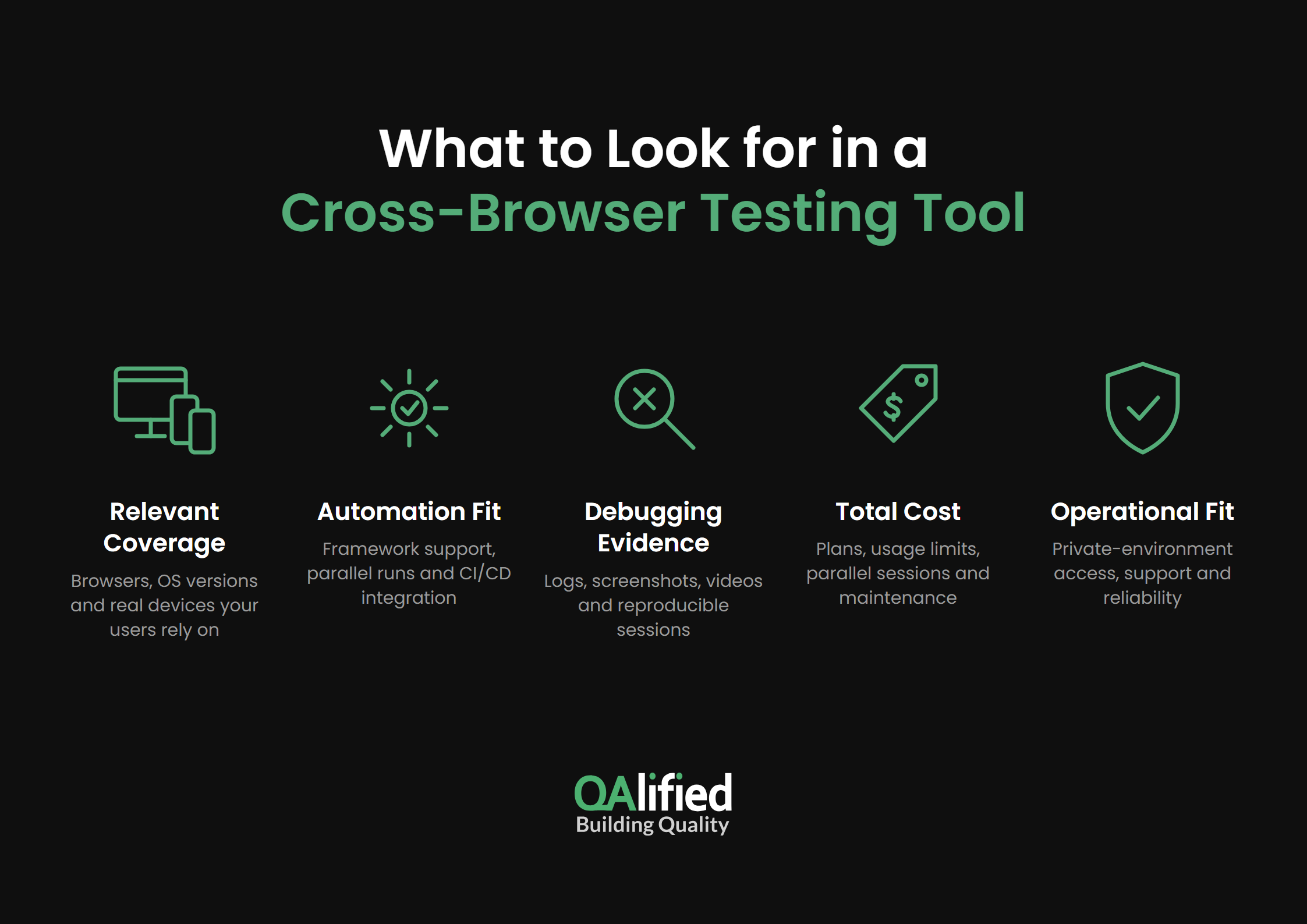
Evaluate these criteria before committing:
- Relevant coverage: Confirm exact browser versions, operating systems, and real devices, rather than relying on catalog size.
- Automation fit: Check framework support, parallel execution, and CI/CD integration for your chosen environments.
- Debugging evidence: Look for logs, screenshots, videos, and reproducible session details.
- Total cost: Compare subscriptions, usage limits, parallel sessions, device access, and maintenance effort.
- Operational fit: Validate private-environment access, support responsiveness, and service reliability during a pilot.
We start compatibility planning early, even during solution design. Reviewing proposed libraries and browser support can expose risks before test execution. For broader QA needs, explore our guide to software testing tools.
What Are the 10 Best Cross-Browser Testing Tools in 2026?
The following top cross-browser testing tools cover complementary needs. The order is a practical shortlist, rather than a universal performance ranking. Cloud features and framework compatibility vary by product and plan.
1. BrowserStack
BrowserStack provides live and automated browser testing, real mobile devices, and diagnostic artifacts. Its main advantage is managed access to varied environments without maintaining a device lab.
Best fit: Teams combining manual investigation and automated regression. Limitation: Confirm device availability, framework compatibility, and concurrency allowances. We frequently pair BrowserStack with Playwright or Selenium, drawing on our experience with the platform.
2. TestMu AI (Formerly LambdaTest)
TestMu AI combines live browser testing, automation infrastructure, real-device access, and parallel execution. LambdaTest adopted the TestMu AI name in 2026. Hosted execution helps teams expand coverage without provisioning every environment themselves.
Best fit: Teams evaluating a cloud for growing regression suites. Limitation: Validate the specific framework, device combinations, and execution allowances your suite needs before choosing a plan.
3. Sauce Labs
Sauce Labs offers live testing, parallel automation, real and virtual devices, and videos, screenshots, and logs. Centralized evidence supports investigation across distributed QA and development teams.
Best fit: Organizations needing cloud execution and detailed failure analysis. Limitation: Real-device and virtual-device testing are different offerings; confirm the environment and concurrency included in your purchase.
4. Katalon TestCloud
Katalon TestCloud runs tests across browsers and real mobile devices, with parallel execution and integration into Katalon’s workflow. Its advantage is reducing execution setup for teams already authoring tests in Katalon.
Best fit: Katalon-based QA teams. Limitation: Evaluate ecosystem fit and execution licensing. At QAlified, we consider Katalon True Platform when automation uses Katalon technology.
5. TestGrid
TestGrid supports manual and automated web execution, multiple frameworks, and access to private environments through its tunnel. Its wider platform also includes real-device testing, allowing web and mobile validation within one provider.
Best fit: Teams seeking combined browser and device infrastructure. Limitation: Verify exact browser-device-framework combinations and deployment requirements during a trial.
6. TestingBot
TestingBot provides live and automated browser testing, real mobile devices, and integration with automation frameworks. Managed environments make it a useful option for teams extending an existing test suite into the cloud.
Best fit: Teams comparing hosted infrastructure for established automation. Limitation: Check framework support, device availability, and parallel-session limits against your intended matrix.
7. BitBar
BitBar offers live browser testing, Selenium automation, and a secure tunnel for local or private applications. Integration with SmartBear tooling can simplify adoption within an existing toolchain.
Best fit: Teams using SmartBear products or evaluating managed browser execution. Limitation: Verify browser and device coverage for the selected service; do not assume every mobile-testing capability applies to browser testing.
8. Playwright
Playwright is an open-source automation framework that runs tests on Chromium, Firefox, and WebKit, plus Chrome and Edge channels. Teams write the suite once and run it either locally or on a cross-browser cloud to reach more operating systems, browser versions, and devices. Auto-waiting, traces, and browser projects keep results repeatable across configurations.
Best fit: Engineering-led teams automating modern web applications. Limitation: Bundled WebKit is not the same as branded Safari on a physical iPhone. Pair Playwright with a device cloud for real-device validation.
9. Selenium
Selenium is an open-source automation framework that controls browsers through WebDriver. Selenium Grid spreads the same suite across remote machines. Most cross-browser clouds also offer a compatible remote endpoint, so existing scripts can run on hosted browsers and devices by changing the configuration, not the tests. Support for multiple programming languages suits established automation stacks.
Best fit: Teams with Selenium expertise that need flexible execution infrastructure. Limitation: A self-managed Grid requires provisioning and maintenance, and Selenium alone does not supply a real-device lab.
10. Cypress
Cypress is an open-source frontend testing framework that runs on Chrome-family browsers and Firefox, with experimental WebKit support. Cross-browser clouds can run Cypress suites in parallel across operating systems and browser versions, extending coverage beyond the local machine. Its interactive runner and debugging workflow suit frontend teams building repeatable UI checks.
Best fit: JavaScript or TypeScript teams that prioritize rapid feedback. Limitation: Browser support is narrower than in Playwright or Selenium, and Cypress does not provide native real-device mobile automation. Validate Safari and mobile requirements separately.
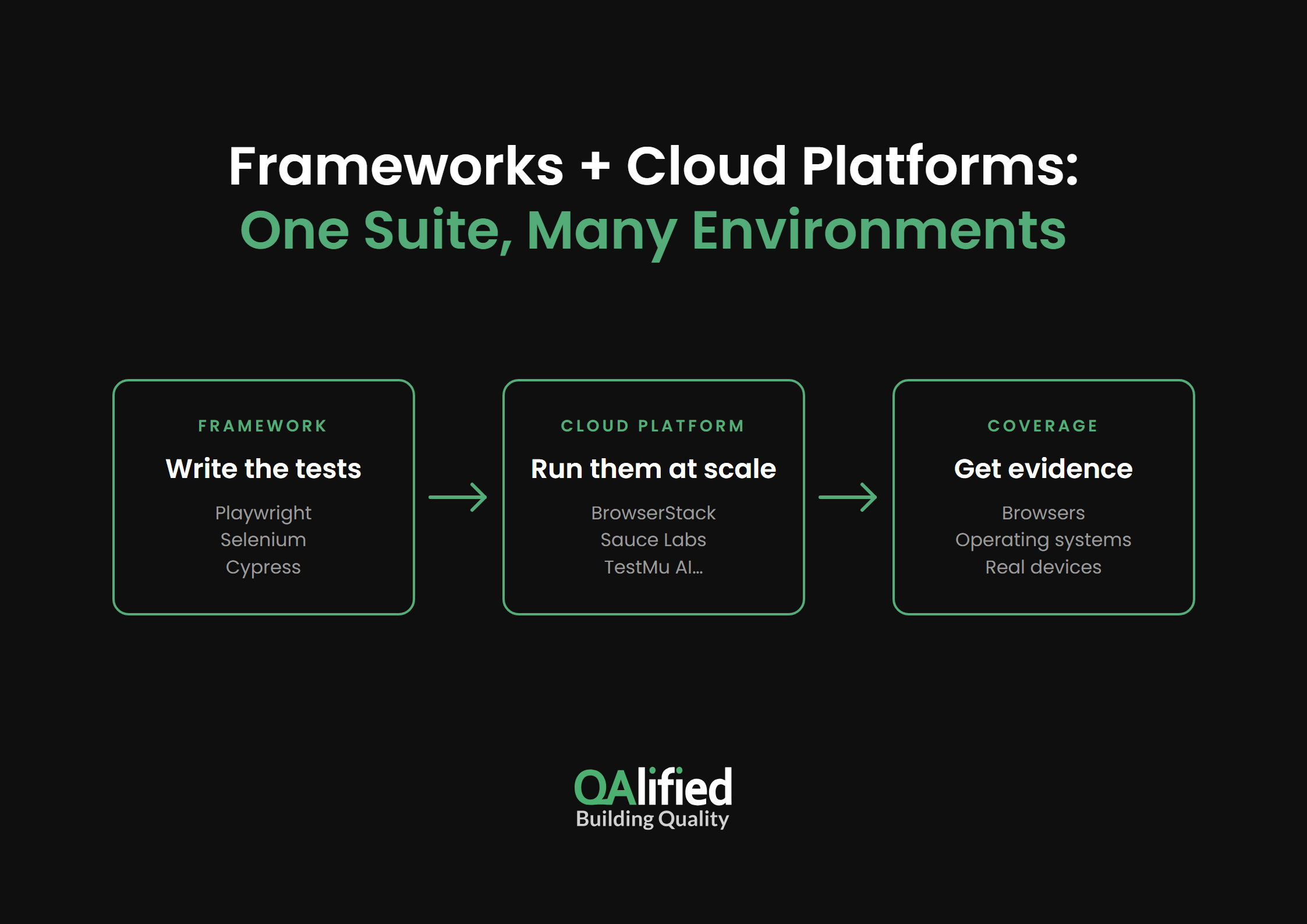
Playwright, Selenium, and Cypress are not cross-browser testing platforms on their own. They are automation frameworks: they define and run test scripts, while platforms like those above provide the browsers, operating systems, and real devices. When connected to a cloud such as BrowserStack or Sauce Labs, the same test suite can run across many browser and device configurations in parallel, with no need to rewrite tests for each environment.
How Do the Best Cross-Browser Testing Tools Compare?
Compare clouds by the environments they provide and frameworks by the checks they automate. The table summarizes practical selection differences; recommended uses reflect our assessment, not vendor benchmarks.
| Tool | Model | Recommended use |
|---|---|---|
| BrowserStack | Paid cloud platform | Manual + automated coverage |
| TestMu AI | Paid cloud platform | Growing regression suites |
| Sauce Labs | Paid cloud platform | Execution + failure analysis |
| Katalon TestCloud | Paid cloud platform | Katalon-based automation |
| TestGrid | Paid cloud platform | Combined web + mobile testing |
| TestingBot | Paid cloud platform | Existing framework suites |
| BitBar | Paid cloud platform | SmartBear workflows |
| Playwright | Open-source framework | Modern web regression on cloud platforms |
| Selenium | Open-source framework | Flexible automation on remote grids |
| Cypress | Open-source framework | Frontend feedback loops |
For limited budgets, we prioritize critical flows, assign cases to selected browser-device combinations, or run the full suite on the main production platform. Each approach leaves coverage gaps that should be explicit.
Use this sequence to implement a focused strategy:
- Define the matrix: Analyze user devices, geography, usage context, and production evidence.
- Prioritize scenarios: Include critical flows, known incidents, and components with compatibility risks.
- Connect execution: Configure the framework to run in the selected cloud and trigger it through CI/CD.
- Review and refine: Inspect failures, retain human checks on critical flows, and update coverage as usage changes.
A focused matrix and human review help turn automated checks into useful release evidence.
Build a Reliable Cross-Browser Testing Strategy with QAlified
A reliable strategy connects tool selection with user needs and application risk. Our specialists bring experience in cross-browser, cross-platform, and cross-device testing to define coverage and integrate automation into delivery workflows.
If you need help choosing environments, prioritizing scenarios, or implementing repeatable checks, explore our Automation Testing Service and discuss your project’s requirements with our team.
SHARE:

